Final stages of our project


MAX MSP

I have made a fully annotated illustration of the before posted code in MAX MSP showing how each and every step of the code works,

MAX MSP

Once home I have cleaned up the code and made some minor improvements.

improvements,

- random feature has a better note range now at first it just played high notes at random;
- different MIDI out method with xnoteout instead of using pack to create an array of the note and then putting it out via midiout.

Here is a illustration of the code cleaned up,


As you can see its much more easy to overview and to detect any problems or add any new features.

MAX MSP

After showing the code to Paul Davies who gave us some pointers on how to improve the code to get it working more efficiently and to have a few more options as well.

new options / improvements,

- random MIDI notes played upon detection;
- MIDI keyboard as a visual aid to see which note is played;
- code improved to prefent double notes being played at 1 detection;
- able to change the MIDI instrument.

Here is a illustration of the code as you can see its a bit messy now,

MAX MSP

After researching a little bit more in MAX MSP and its commands I have hit a break through with the use of the MIDI sounds. Now when the hand is moved over the sensor a MIDI tone will be played, but when the hand is removed before the tone finishes playing the sound will stop as well.


Giving more controll over the duration of the tones just like you would be able to do with a piano.

Here is a video to demonstrate what I mean,

MAX MSP

Succeeded in getting the sensor to work with MIDI sounds. When the hand is moved over the sensor the sound a MIDI tone will play when the hand is removed the MIDI volume value returns to 0 making it silent.

MAX MSP

Currently I am trying to code in MAX MSP to get the sensor working with a cycle sinus wave,


It seems to be working fine just the sound of a cycle wave is a bit limited. Ill try to experiment with MIDI sounds which should give us a lot more 'freedom' in terms of sounds effects / notes.

Here is a video of the sensor working with the cycle wave,

Robotics

Interesting project here about robotic jelly fish equipped with LEDs.


read the full article at,

http://blogs.zdnet.com/emergingtech/?p=901

Interesting and simple concept

A fun concept a came across not really to do with technology but interesting enough to mention I would have thought.

Its this umbrella stand above some plants. Basically the idea is that the wet umbrella run off waters the plants.


source: http://think.bigchief.it/articles/2008/04/22/what-else-umbrella-stand/

GRL

The guys from the Graffiti Research Lab do some very interesting things with technology and as they call it "hacking a urban enviroment"

The GRL is more well known for their introduction and tutorial of making LED throwies.


Graffiti Research Lab, founded by Evan Roth and James Powderly during their fellowships at the Eyebeam OpenLab, is an art group dedicated to outfitting graffiti writers, artists and protesters with open source technologies for urban communication. The members of the group experiment in a lab and in the field to develop and test a range of experimental technologies. They document those efforts with video documentation and DIY instructions for each project and make it available for everybody.

source: http://en.wikipedia.org/wiki/Graffiti_Research_Lab

Group Project - Sketch

Here is a 3D sketch of the setup of the project,

Group Project - Final Idea

After a bit more of brainstorming and experimenting with code to see what is actually feasible to create during the weeks we have to create this project.

We came up with the idea of an "Karate Jukebox"

We will put a sensor in a boxes when someone will put their hand in oen of the boxes a light will light up to show that that box is set active at the same time a music sample will be triggered as well by MAX MSP which is constantly monitoring the analogue ports on the Arduino to detect activity in the boxes.

So you can move your hands in and out at the same time in differt boxes trying to create a rhytm.

Maverick Machines - Group Project

We have formed a group consisting out of three members,

- Guido
- Vasco
- William

We have a few ideas on what we want to do. One thing is certain we want
to do something with sensors using the Arduino in combination with MAX MSP.

The red line thru out our brainstorm is the usage of sensors and then the
information from their is read by MAX MSP and manipulated to trigger an
event.

Ideas - RSS Reader

it seems I was not the only one who came up with this idea in the following video on Youtube you can see how someone used their Arduino to read an RSS feed and then display it on an 1 line LCD screen.


Quote
A little experiment using openFrameworks and Jeff Crouse's webscrapper to send a digg rss feed to an arduino which then encodes it for a small LCD screen.

Ideas - Email checker

The same idea could be used for the 8 Bit LCD screen but instead of reading an RSS feed it could also be a email checker for example.

When an email comes it will read the subject and the text scrolling on the 8 Bit LCD and turn on a red LED to alert you of a new message.

Ideas - RSS Reader

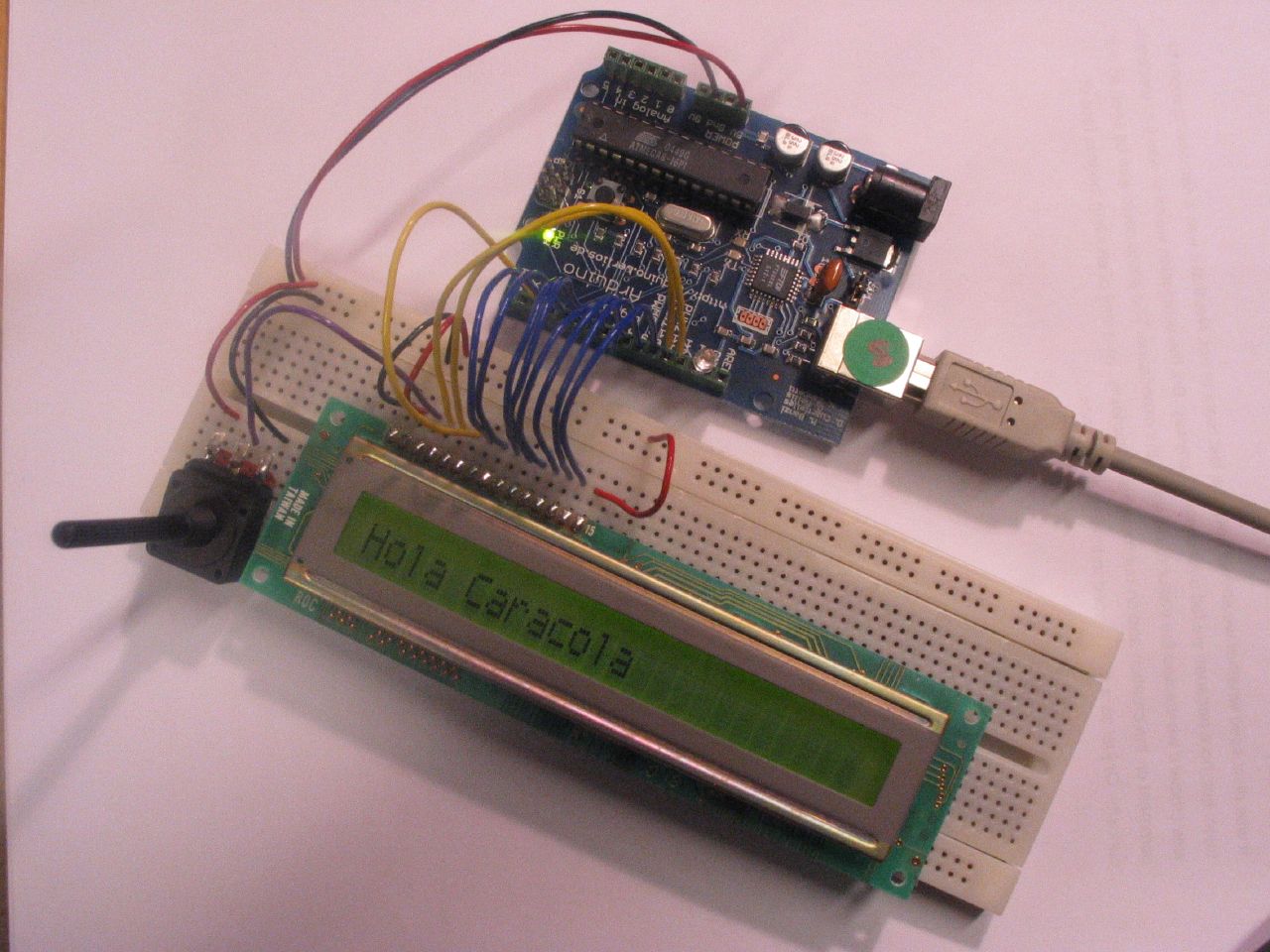
I was wondering if it would be difficult to let a 8 Bits LCD show scrolling text coming for example from a RSS feed from the internet.

I found an example tutorial to connect an 8 Bit LCD to the arduino including the code so I think it should not be that difficult to adjust that code to get information from an RSS feed via the USB cable.

Sounds easy might be more difficult


Source: http://www.arduino.cc/en/Tutorial/LCD8Bits


I drew a diagram showing how the setup might look,

Ideas - Light Sensor

During the workshop I have been thinking what could be possible to do for the second assignment. At the moment I am thinking of using some kind of sensor to control a light in a room.

I am not sure yet what sensor I would be using either a,

  • Sensor, that reacts to sound (clapping)

  • Sensor, that reacts to movement.


  • I have sketched a schematic drawing how the setup might look,


    We have already played a little bit with one of the sensors today that reacts to movement. On our first test we had it connected to a analog input and we did get some readings from it put they were pretty random.

    The next step might be to connect it to a digital input and just to retrieve a 1 (on status) or 0 (off status) from it when it detects movement.

    Week 4 - Workshop and Lecture

    This week we modified and used a different code to get 6 LED to light up in a sequence.

    We managed to do this succesfuly,


    We also managed to control the speed of the LED sequence via a potentiometer,


    It was not too difficult too adapt the code to have it working with the potentiometer,


    int potPin = 2; // select the input pin for the potentiometer
    int pins[] = { 2, 3, 4, 5, 6, 7 }; // an array of pin numbers
    int num_pins = 6; // the number of pins (i.e. the length of the array)
    int val = 0; // variable to store the value coming from the sensor

    void setup()
    {
    int i;

    for (i = 0; i < num_pins; i++) // the array elements are numbered from 0 to num_pins - 1
    pinMode(pins[i], OUTPUT); // set each pin as an output
    Serial.begin(9600);
    }


    void loop()
    {
    int i;

    for (i = 0; i < num_pins; i++) { // loop through each pin...
    val = analogRead(potPin);
    digitalWrite(pins[i], HIGH); // turning it on,
    delay(val+50); // pausing,
    digitalWrite(pins[i], LOW); // and turning it off.
    Serial.println(val);
    }
    for (i = num_pins - 1; i >= 0; i--) {
    val = analogRead(potPin);
    digitalWrite(pins[i], HIGH);
    delay(val+50);
    digitalWrite(pins[i], LOW);
    Serial.println(val);
    }
    }


    Pictures


    Week 3 - Workshop and Lecture

    Unfortuantley I was sick this week and was unable to join the lecture. I contacted some of my class mates to find out what was going on that day.

    The explained to me that this time we used two connection to connect two LEDs and control them by a click button to turn them on or off.

    I had a look at the code for this on the Arduino site and it all seemed pretty straight forward.

    Week 2 - Workshop and Lecture

    Ive purchased my own Arduino board now and can start experimenting at home.

    During this lecture Vasco, William and me played a little more with the code and the potentiometer and managed to control the blinking speed from the LED via the potentiometer.

    The following code was used to achieve this,


    int potPin = 2; // select the input pin for the potentiometer
    int ledPin = 13; // select the pin for the LED
    int val = 0; // variable to store the value coming from the sensor

    void setup() {
    pinMode(ledPin, OUTPUT); // declare the ledPin as an OUTPUT
    Serial.begin(9600); // initiate serial port
    }

    void loop() {
    val = analogRead(potPin); // read the value from the sensor
    digitalWrite(ledPin, HIGH); // turn the ledPin on
    delay(val+100); // stop the program for some time
    digitalWrite(ledPin, LOW); // turn the ledPin off
    delay(val+100); // stop the program for some time
    Serial.println(val); // print serial input data to serial log screen
    }


    photos,


    videos,


    During the workshop it became clear to me that the possibilities with the Arduino board are almost endless. Its just now combining all these possibilities together to create something creative and intuitive.

    I will try to research some more on what kind of peripherals can be used with Arduino and also to experiment some more with the code.

    Week 1 - Workshop and Lecture

    We've been introduced into the Maverick Machines module. For the first assignment we just have to document our progress with the Arduino board.

    We started off by getting the light blinking on the Arduino board this was not too difficult to do also the coding is not too difficult since it has similarities to PHP.

    Arduino

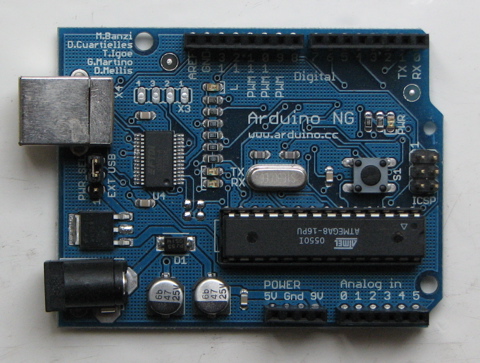
    This is the Arduino board we have for Maverick Machines its just a tiny little electronic board, but you can do alot with it.

    Arduino board,


    A few of the things we have worked with and combined with the Arduino board,

    The breadboard,


    Potentiometer,


    LEDs,